

A flawless presentation or live performance depends on more than just talent and thorough preparation—it’s also about having the right tools in place. Behind every seamless event is a carefully curated collection of reliable equipment, each piece working together in perfect harmony to support the performer or presenter.
Capturing Every Word: Audio Interfaces and Microphones
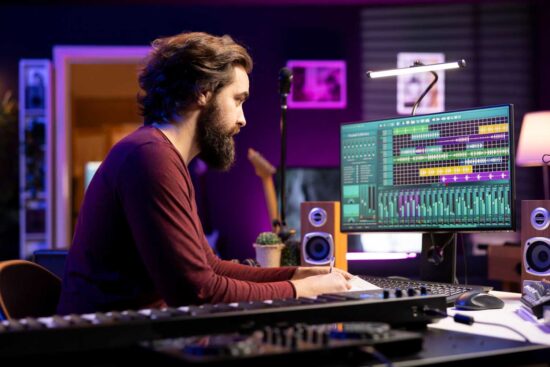
Sound quality can make or break any live event. When it comes to corporate event planning, your audience will forgive minor visual imperfections, but poor audio instantly damages their experience and your professional image.
Choosing the Right Audio Interface
An audio interface serves as the bridge between your microphones and your recording or streaming equipment. Professional-grade interfaces offer low-latency performance, ensuring that what you say reaches your audience without noticeable delay. Look for models with multiple input channels, allowing you to accommodate panel discussions or musical performances with several participants.
For live music events or hybrid corporate entertainment segments, understanding DJ controller features can also be important. Integrated mixers, performance pads, jog wheels, and onboard effects give performers greater control over transitions and sound customization, helping maintain energy and flow throughout the event.
Selecting Professional Microphones
To choose the right microphone, consider the presentation scenario. Handheld dynamic microphones are durable and work well for live speaking. Large-diaphragm condenser microphones are better for recording or studio use because they capture more vocal detail. For presenters who need to move around, lavalier microphones offer a hands-free solution.
When using wireless systems, choose one with reliable transmission and multiple frequencies to prevent interference. It’s also wise to have backup microphones available to avoid potential disasters during live events.
Creating Visual Impact: Video Switchers and Lighting Systems
Visual presentation quality directly influences audience engagement and message retention. Professional visuals communicate competence and attention to detail.
Video Switching Solutions
A video switcher enables smooth transitions between cameras, slides, and other video sources, making presentations more dynamic and engaging. Modern switchers include features like picture-in-picture and real-time effects to integrate various visual elements. While software-based options are affordable, hardware switchers offer greater reliability and control for live events.
Professional Lighting Systems
Proper lighting enhances presentations by eliminating shadows, reducing eye strain, and ensuring consistent color. The three-point lighting setup—key light, fill light, and back light—is the standard for professional results, suitable for both single speakers and larger stages. Modern LED panels are ideal for presentations due to their low power usage, minimal heat, adjustable color temperatures, and dimmable settings for precise control.
Ensuring Reliability: Connectivity and Power Management
The most sophisticated presentation equipment becomes useless when connections fail or power supplies falter. Professional setups prioritize reliability through redundancy and quality components.
High-Speed Cables and Connectors
Professional-grade cables are crucial for reliable presentations, as cheap ones can cause signal degradation and connection failures. When choosing cables, consider the following:
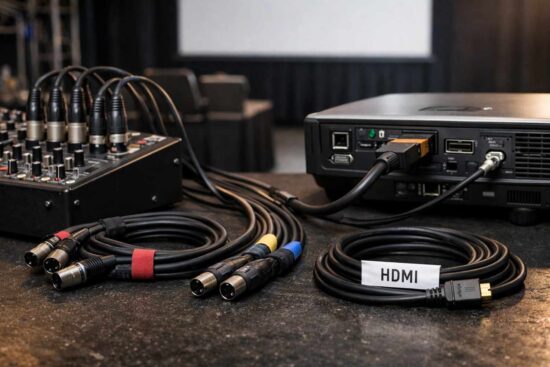
HDMI: Select cables that support your highest planned resolution and refresh rate. For long distances, use active or fiber optic HDMI cables to maintain signal quality.
XLR: Use these for professional audio connections due to their balanced design, which reduces interference, and their locking connectors, which prevent accidental unplugging.
Length: Always use the shortest practical cable length to minimize signal issues.
Organization: Label all cables with color codes or numbers to simplify troubleshooting.
Uninterruptible Power Supplies
To prevent power interruptions during live events, use an uninterruptible power supply (UPS) for battery backup. Size the UPS to handle at least 125% of your total equipment wattage to ensure stable operation. For sensitive audio and video gear, choose pure sine wave UPS units, as they provide cleaner, more stable power.
Maintaining proper electrical safety practices—such as avoiding overloaded circuits, using certified surge protectors, and keeping power cables separated from audio lines—helps prevent equipment damage and reduces the risk of electrical hazards during live performances.
Connect your most critical equipment to the battery-backed outlets, and less essential devices to the surge-protected outlets.
Pre-Event Gear Testing: Your Essential Checklist
Even the highest-quality equipment requires systematic testing before each event. This final verification catches potential problems while you still have time to address them.
Audio System Verification
- Test each microphone individually for sound quality and proper levels
- Verify wireless microphone battery charges and signal strength
- Check all audio cables for secure connections and signal flow
- Confirm backup microphones are readily accessible and functional
Visual System Confirmation
- Test all camera feeds and switching transitions
- Verify lighting levels and color temperatures across all cameras
- Confirm presentation displays appear correctly on all screens
- Test any video playback or graphics overlays you plan to use
Connection and Power Checks
- Inspect all cables for damage or loose connections
- Verify UPS battery charge and runtime capacity
- Test backup power procedures if available
- Confirm all devices power on and initialize correctly
Full System Rehearsal
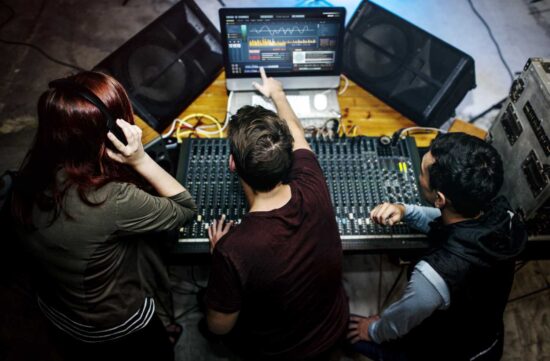
- Run through your complete presentation with all equipment active
- Simulate potential failure scenarios and practice recovery procedures
- Time your setup and teardown processes
- Brief all team members on their responsibilities and backup plans
Conclusion
Investing in quality presentation equipment is essential for a professional reputation. Reliable audio capture and connectivity are the foundation, while advanced tools like video switching and lighting can enhance visual presentation as needs and budgets grow. By prioritizing performance, redundancy, electrical safety, and building confidence through dependable systems, you create an event environment that is both professional and dependable.